

You’ve tried to install Dispute Buddy, and got a message saying ‘Able to execute file in the temporary directory. Setup aborted. Error 4551. An application control policy has blocked this file’.
Let’s troubleshoot.
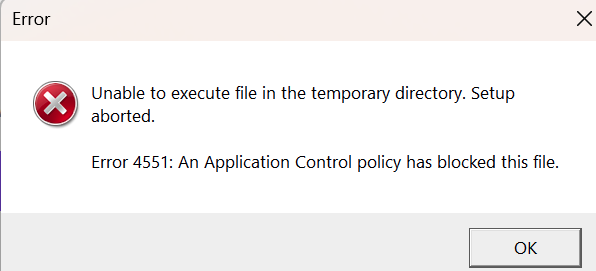
1. Run as Administrator: Right-click installer → Run as administrator
2. Ask IT department to allow the Dispute Buddy installer or try on another computer
3. Delete the old installer and re-download from www.disputebuddy.co/downloading
4. Save it to Desktop - not Downloads
5. Unblock the file: Right-click installer → Properties → tick Unblock → Apply → OK.
6. Temporarily relax SmartScreen/Reputation blocks (if present). Go to Windows Security → App & browser control → Reputation-based protection settings
Turn off Check apps and files (temporarily)
Re-run installer, then turn it back on.
7. Check antivirus quarantine. Windows Security → Virus & threat protection → Protection history. If the installer was blocked/quarantined: Allow on device, then retry.
Confirm temp folder access. Press Win+R → type %TEMP% → Enter. If it won’t open or is locked down, restart PC and try again.
If you need more help: Send us a WhatsApp: +61 468 852 935
Email us: hello@disputebuddy.co
Connect on LiveChat: here