

The Confirm details screen lists the contacts that matched your search. You can add or remove contacts and choose the date range for the messages you want to export.
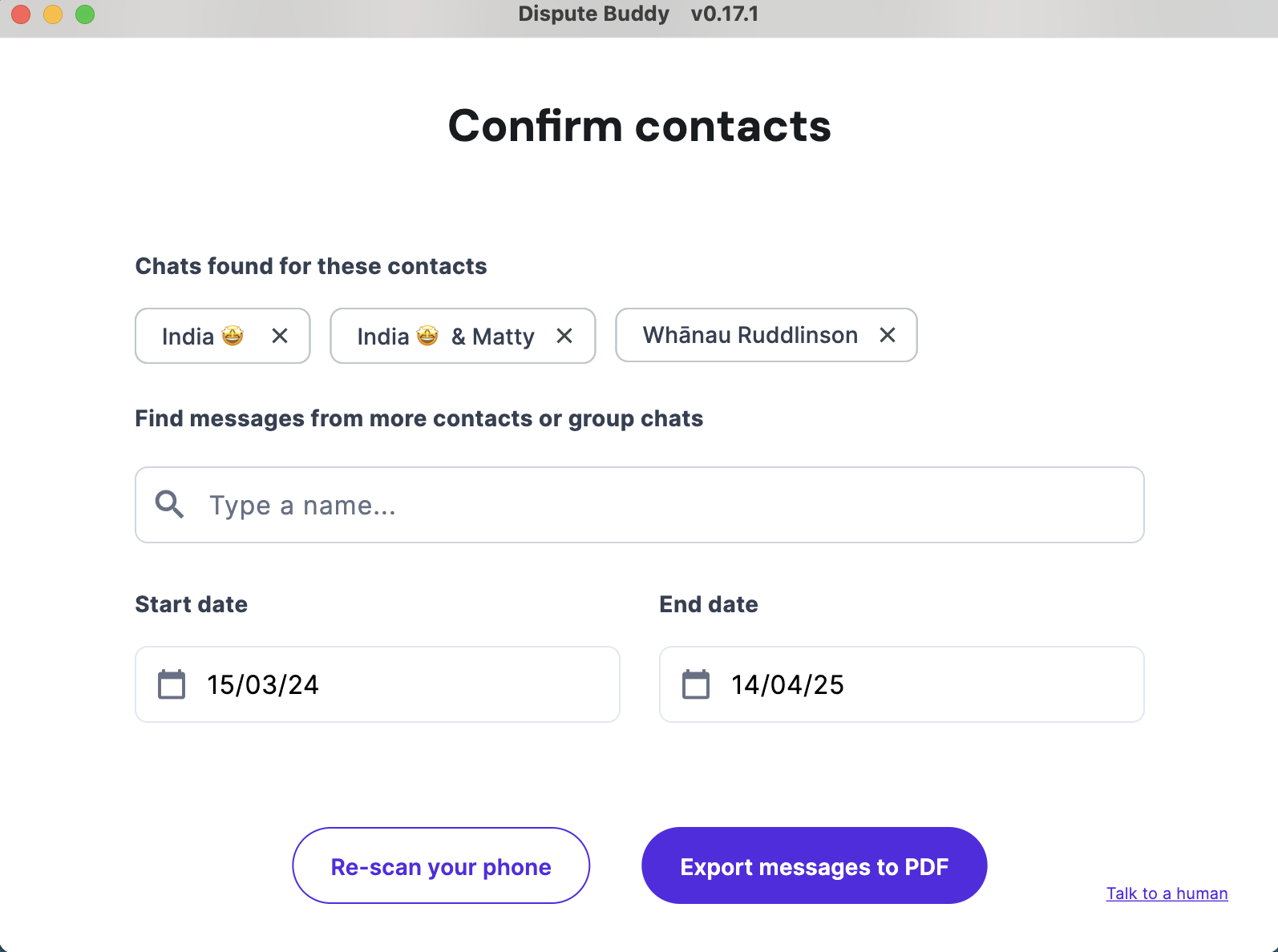
1. Review the matched contacts shown on the screen.
2. Add more contacts: use the option to find messages from additional contacts.
3. Remove contacts: adjust the list so only the chats you need are selected.
4. Set the date range: choose the Start date and End date for the messages you want.
5. Re-scan the phone if needed: use the re-scan option to refresh the results.
You can come back to this screen any time after an export and export more chat histories.
If you need more help: Send us a WhatsApp: +61 468 852 935
Email us: hello@disputebuddy.co
Connect on LiveChat: here