If you need to use your iPhone text messages as evidence, screenshots rarely cut it. This guide gently walks you through the 10 best apps for exporting SMS and iMessage for evidence into PDFs in 2026. We'll look at what actually matters in legal disputes, and help you choose a tool that supports proper evidence preparation rather than just exporting data.
If you are heading into a legal dispute, there is a strong chance you'll need your iPhone messages.
And if you have ever tried to collect them by screenshotting, you'll know how stressful that process can be.
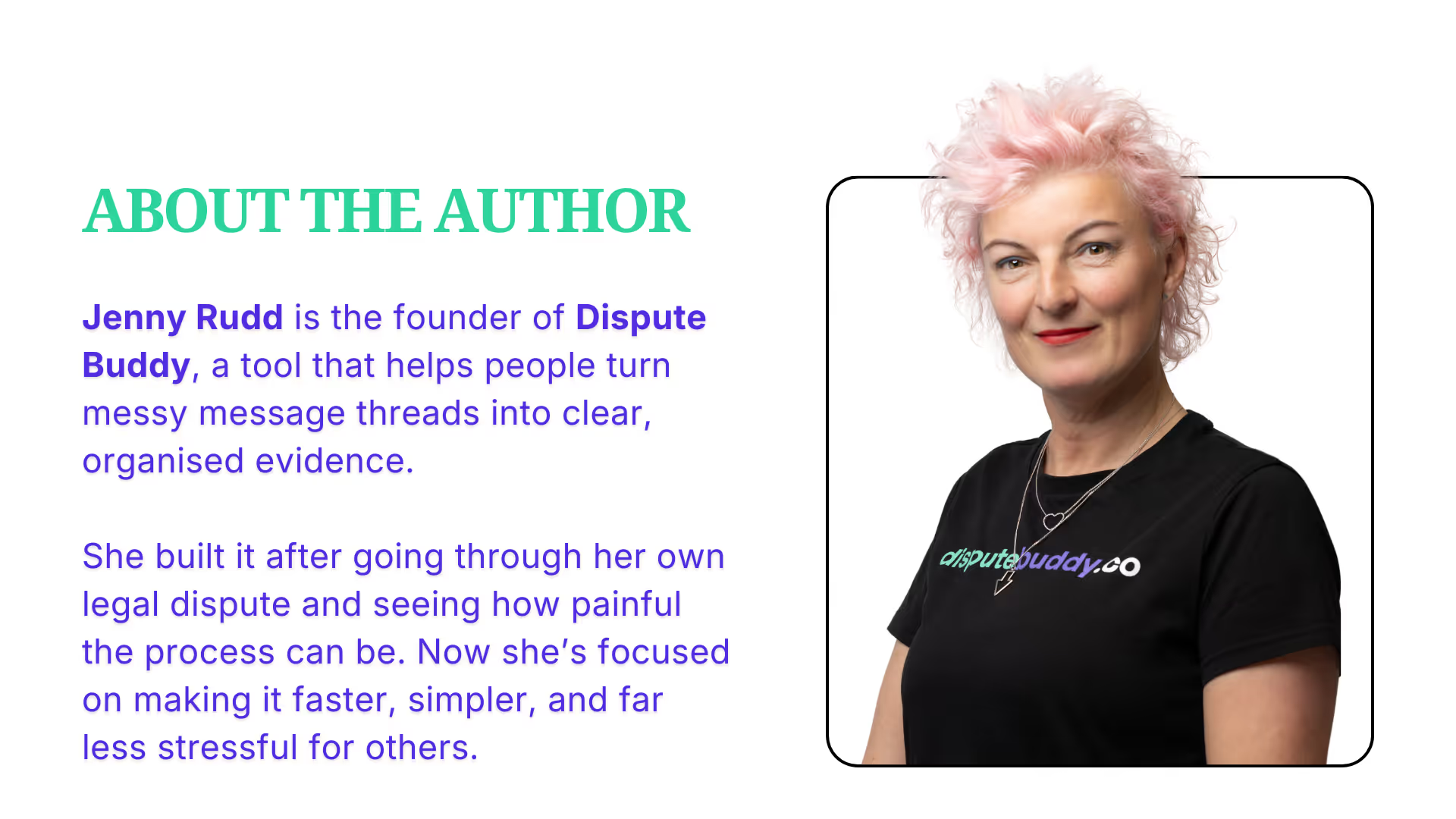
The reason I know it's stressful is because I had to do it when I went to Family Court to make my children safe. That's why we built Dispute Buddy. So you don't go through what I did!
Scrolling for hours through upsetting messages
Taking hundreds of screenshots
Missing timestamps
Conversations without context - screenshots cutting off half the message
Losing your place when someone calls or the kids come in, then starting all over again the next day
It is not just a technical task, it can be emotionally exhausting.
Which is why many people now use tools to export their text-message evidence properly.
This guide walks through the ten best apps that can export iPhone text messages, including SMS and iMessage, into files you can share with your lawyer.
Before we begin, one important disclosure.
We make Dispute Buddy :)
We will be fair to the alternatives, but we are not claiming to be neutral.
Many tools can technically create a PDF.
But the more important question is whether that PDF is actually useful in a legal dispute.
When text messages are used as evidence, lawyers usually care about a few key things:
And something else that is often overlooked.
Patterns. In many disputes, the issue is not one message.
It is how the communication unfolded over time.
Highlighting things like threats, pressure, manipulation, coercion, bullying, harassment and control.
Most tools were built to extract the message history, but what's really helpful (and reduces legal bills!) is if you hand your lawyer a PDF with the message history and an analysis of the patterns of behavior. Because that's what you'll be paying your lawyer to do!
Not to help someone understand what those messages actually show.
You do not need to memorise this list.
Think of it as a calm overview to help you choose what feels manageable for your situation.
1) Dispute Buddy
Best for: People preparing text-message evidence for a lawyer, mediation, or court.
Dispute Buddy was built specifically for legal disputes rather than general phone backups.
We built it so that you don't have to go through what I did - screenshotting hundreds of texts and worrying whether a judge woulkd accept them, and if I'd missed any.
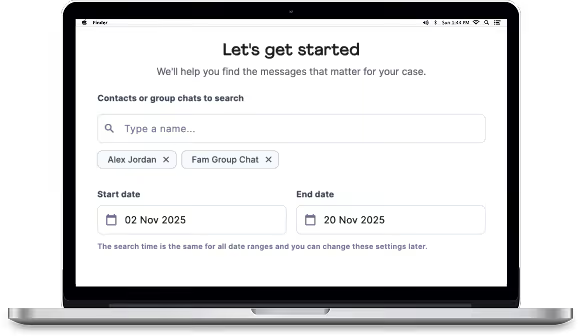
You select contacts and date ranges, and the software exports your messages into a clearly organised PDF timeline that lawyers can review easily.
It also analyses messages and highlights patterns such as:
In many disputes, it's not one text that is the smoking gun, it's patterns over time.
Strengths
Trade-off
2) iMazing
Best for: Reliable general-purpose exporting.
iMazing is a powerful techie tool that exports messages to PDF, Excel, CSV, and archival formats.
It works well if you simply need a structured export of your messages.
Limitation for disputes
It exports messages clearly, but it does not help organise the narrative behind them
You'll still need to re-read painful texts in the app before you export them
3) Decipher TextMessage
Best for: Clean conversation exports and people with strong tech skills
Decipher allows you to select a conversation and export it into a simple, readable PDF.
Limitation for disputes
It focuses on exporting data rather than helping identify patterns or context.
4) iPhone Backup Extractor
Best for: Technical users needing deeper access to backups.
This tool can access both device backups and iCloud data.
Limitation for disputes
It is designed for data recovery rather than evidence preparation.
5) AnyTrans
Best for: Flexible export formats.
AnyTrans allows messages to be exported as:
Limitation for disputes
It is a strong utility, but not designed specifically for legal preparation.
6) iExplorer
Best for: Simple exports with timestamps.
iExplorer allows exporting SMS and iMessage conversations into PDF, TXT, or CSV.
Limitation for disputes
You still need to manually review and organise the messages yourself.
7) TouchCopy
Best for: Exporting large numbers of conversations.
TouchCopy allows you to export entire message threads as PDFs.
Limitation for disputes
It moves the messages, but it does not help interpret what they mean.
8) PhoneView
Best for: Mac users wanting a simple workflow.
PhoneView supports exporting conversations to PDF and other formats.
Limitation for disputes
It does not include features designed specifically for disputes.
9) CopyTrans
Best for: Windows users needing message exports.
CopyTrans provides several tools for exporting iPhone messages to PDF and other formats.
Limitation for disputes
It is primarily a data utility rather than an evidence tool.
10) Dr.Fone
Best for: People already using Dr.Fone for phone management.
Dr.Fone includes message export alongside many other phone utilities.
Limitation for disputes
Preparing evidence is not its primary purpose.
Most tools on this list are exporters.
That can be enough if you only need a short conversation.
But in many disputes, the challenge is different.
There are thousands of messages.
And the issue is often a pattern that developed over months or years.
Pressure.
Manipulation.
Threats.
Control.
That is where tools built for disputes can make a difference.
They help organise the messages that matter rather than simply exporting everything.
If you are feeling overwhelmed, this may help.
If you are preparing messages for a dispute and want help identifying patterns, Dispute Buddy was built for that moment.
If you just need a single conversation, iMazing, Decipher, TextMessage or iExplorer are often enough.
Courts and tribunals can have specific rules about evidence and formatting.
If your situation is high stakes, it is always a good idea to ask your lawyer what format they prefer before exporting everything.
You do not have to get this perfect on your own.
I totally understand how overwhelming it is when you're in the middle of your case, and you have a million jobs to do, and evidene to organise, when you've never been to court before!
Exporting your messages really shouldn't add to that stress.